Scale on Google without getting stuck in GMC.
Your account, your billing, a rate we publish.
We run Search, Demand Gen and YouTube for stores Google won't feed — live from day one instead of waiting in a review queue. You keep the account. We keep you posted daily.
 Google AdsConnected
 ShopifyStore linked
Your Shopify store is linked to the portal.
New Search campaign launched — no Merchant Center required.

New ad creative is waiting in your portal.
Yesterday's spend and conversions, in plain numbers.






We can't show you a decade of results. We can show you the contract.
Every figure below is something you get in writing before we touch the account — and the line under each one says exactly what it does and doesn't mean.
Our whole fee. Calculated on what Google actually charged your card that week.
You pay Google directly with your own card. We never hold or resell your ad budget.
Billed weekly. The relationship ends the moment the open invoice is settled — from either side.
Campaigns run inside your Google Ads account. If we part ways, everything we built stays.
Four ways onto Google. Only one of them needs a feed.
Most agencies sell you "Google Ads" and mean Shopping. Shopping is one campaign type out of several, and it's the only one that dies when Merchant Center does. Here's what each one actually is, when we reach for it, and what it needs from your store before it can work.
Text ads against what people type. The purest intent on the internet: someone describes the thing they want to buy, and you answer. No feed, no product approval, no Merchant Center in the chain at all.
Google's answer to paid social: image and video ads across YouTube, Discover and Gmail, aimed by audience and intent signals rather than a keyword. Looks like Meta, buys like Google.
Video in front of buyers on the second-biggest search engine there is. In-stream, in-feed and Shorts — each one a different moment and a different job for the creative.
The product-image results and the automated campaign that spans every Google surface at once. When the feed is clean this is often the cheapest revenue in the account — and it's the part that stops dead when Merchant Center flags you.
Which mix you get depends on your product, your margin and the state of your account — we tell you what we'd run and why in the teardown, before you pay anything.
For most stores, the problem isn't the product. It's the account.
You can have a winner and still be stuck. Google is where most dropshipping and eCommerce brands lose weeks — not to competition, but to their own setup.
Suspended, and no clear reason
Misrepresentation warnings, policy flags, appeals that go nowhere. Sorting this out is part of the teardown, not an upsell.
Numbers that don't match the store
Disapproved products, broken conversion tracking, Google reporting one thing and Shopify another. You can't scale what you can't measure.
An account that stalls at a ceiling
Spend goes up, results don't. Usually the campaign structure was never built to carry the budget you're now trying to push through it.
While other setups wait on approvals, your account is already running.
Most agencies lose the first month inside Merchant Center reviews and appeals. We run the channels that don't need GMC — so your account starts producing data from day one.
- Day 7Pending"We're waiting on Merchant Center approval…"
- Day 14Flagged"Let's see if the appeal gets through this time…"
- Day 28Blocked"Give it another couple of weeks…"
- Day 45Rejected"It got flagged again, resubmitting…"
- Day 60+Stalled"This vertical is tricky, be patient…"
- Day 1LiveAccount structured, tracking checked, campaigns running.
- Day 3RunningAds live through Search & Demand Gen — data flowing, no GMC needed.
- Day 7OptimizingBudget shifts toward the campaigns that actually convert.
- Day 14ScalingSpend grows only as performance holds — reported daily.
- Day 21+MomentumFull performance mode, adjusted continuously.
Timelines are illustrative, not a promise — how fast an account moves depends on your product, margin and offer. What doesn't change is that we start on day one instead of waiting in a review queue.
Google didn't kill your store. A policy flag did — and flags get reversed.
Merchant Center suspended. Ads account flagged. A winner shut down mid-scale over a warning nobody at Google will explain. A suspension is a problem with a cause, and every cause has a fix.
Find the real reason
The email says "misrepresentation" and means almost nothing. We read the account the way Google's reviewers do and find what actually tripped it — before wasting a single appeal.
Fix it at the root
Store, policies, tracking, feed and trust signals brought in line with what Google actually enforces. Appealing an unfixed account is just a faster no.
Appeal like we mean it
A documented case that answers the real reason — not a copy-paste form. And while it's in review, we keep you selling through the channels that never needed Merchant Center.
What "misrepresentation" usually means in plain language.
Google's suspension emails name a policy, not a cause. These are the things that actually trip dropshipping and eCommerce stores, what the notice tends to say, and what fixing it looks like.
This is a guide to the common cases, not legal advice or a guarantee — some suspensions stick, and we'll tell you when we think yours is one of them rather than bill you to find out.
One blended ROAS can hide a lot. Your portal shows the rest.
We built our own client portal instead of emailing you a monthly slide deck. Everything we do to your account, and everything it costs you, is on the screen — updated daily.
-
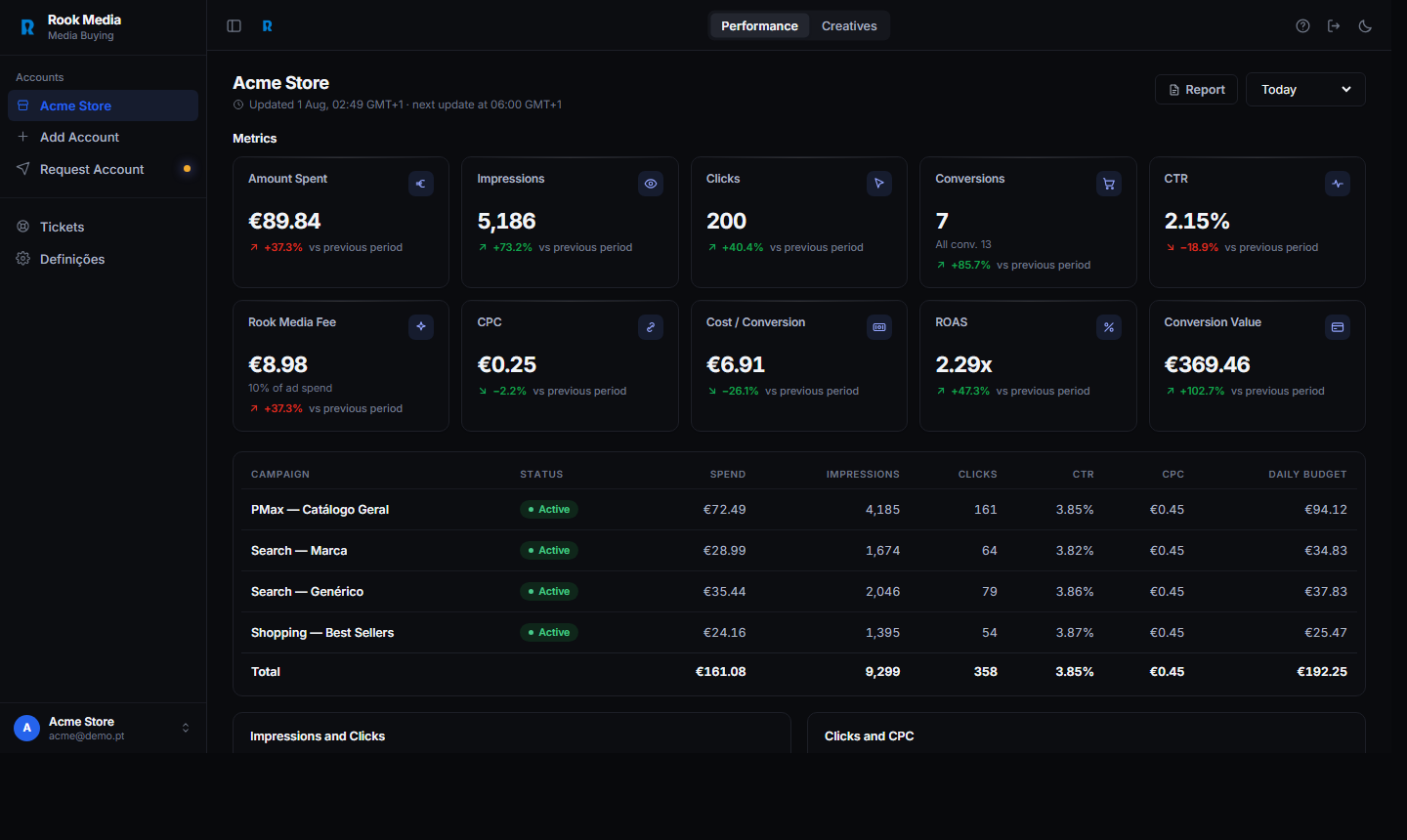
Per campaign, not per month
Spend beside results, every day
Each campaign with its spend, clicks, CTR, CPC and daily budget on one table. When a campaign stops paying, you see it the same day we do.
You stop finding out on the monthly call. -
Our fee, on your screen
What you pay us, next to what you pay Google
The Rook Media fee is a card on the dashboard — 10% of the period's spend, computed from the same numbers you're looking at. Nothing to reconcile at invoice time.
You stop wondering what the agency line actually covers. -
Creatives & tickets
Requests tracked, not lost in a thread
Ask for a new creative or flag a problem from the portal. Each request has a status and an owner, and the delivered file lands in the same place.
You stop chasing a shared inbox. -
Accounts & invoices
Every account, every invoice, one login
Multiple stores under one client, weekly invoices with the spend they were calculated on, and the Google Ads accounts you granted us — all in one place you own.
You stop asking for reports. They're already there.
Sixteen things we check before we ask you for anything.
"Free audit" usually means a call where someone reads your ROAS back to you. This is the actual list we work through, in order, and you keep the write-up whether or not you hire us.
Conversion tracking, against Shopify
Does Google's conversion count match your real orders? If those two numbers disagree, everything downstream is decoration.
Duplicate and double-counted conversions
The same purchase firing from the tag, GA4 and the app at once — inflating ROAS and teaching the bidding the wrong lesson.
Conversion value, not just count
Whether revenue is actually passed back, and whether it's the order total or something that quietly excludes shipping and discounts.
Which actions count as conversions
Add-to-cart and page views counted as primary conversions is the most common reason an account "works" on paper and loses money.
Attribution window and model
What the account is crediting, over how long, and whether that matches how people actually buy your product.
Account structure and budget split
Where the money goes versus where the profit comes from. Most stalled accounts are one structure decision away from moving.
Brand versus non-brand spend
How much of the "performance" is people who already typed your name. Usually more than the last agency admitted.
Search terms report
The actual queries you paid for. This is where the wasted spend is, and it's the fastest fix in almost every account.
Negative keyword coverage
What's being excluded, what should be, and whether a negative list is accidentally blocking your best traffic.
Bid strategy versus conversion volume
Smart Bidding needs a steady flow of conversions to learn. Target ROAS on a handful of sales a month is just an expensive random number generator.
Merchant Center status and warnings
Active flags, pending appeals, and the warnings that become suspensions in a few weeks if nobody touches them.
Feed health, product by product
How many products are live, how many Google will actually serve, and how many have never had an impression. Those are three very different numbers.
Product titles against real searches
Whether your product data is written the way buyers search, or the way your supplier's spreadsheet was written.
Store policy and trust signals
Returns, shipping, contact details and pricing consistency — the things Google's reviewers check when they decide you're misrepresenting.
Landing pages and page speed
Where the paid clicks land, how fast it loads on a phone, and whether the page answers the search that paid for it.
Margin against CPA
The only question that matters: at what cost per order does this store still make money? Everything else is tactics.
Send us view access and the write-up comes back with what we'd change, in what order, and what we'd expect it to cost. If the account is already in good shape we'll say so — that's a perfectly normal outcome.
What "managed" actually means, hour by hour and week by week.
Agencies are vague about this on purpose, because for a lot of them the honest answer is "we open the account before the monthly call". Here's ours, written down so you can hold us to it.
- Spend and conversions checked against yesterday — anything sharply off gets looked at before it becomes a week.
- Search terms reviewed on the campaigns that are spending, negatives added where the money is leaking.
- Budget moved toward what's converting and away from what isn't, within the limits we agreed.
- Disapprovals and feed errors cleared — a disapproved product earns nothing and nobody gets an email about it.
- Your daily report lands in the portal: spend, conversions, ROAS, in plain numbers.
- Performance read at product and campaign level, not just the blended account number.
- Winners identified and scaled deliberately; losers cut or restructured rather than left to bleed.
- Creative reviewed for fatigue — falling CTR on a previously good asset is a refresh, not a bid problem.
- Your invoice goes out, calculated on that week's actual spend, with the spend shown next to it.
- A written update in the portal: what changed, why, and what we're watching next.
- Full account review against your margin — are we buying orders you can afford?
- Channel mix revisited: does Demand Gen or YouTube earn a place it didn't have last month?
- Feed and catalogue pass: new products in, dead products out, titles rewritten where searches moved.
- Tracking re-verified against Shopify, because themes and apps break tags without telling anyone.
- A call if you want one. Not a call instead of the work.
Not a slide deck. The thing itself.
Five screens from the portal every client gets. These are real screenshots of the software, running on a demo account — the layout is exactly what you see, the numbers are sample data.
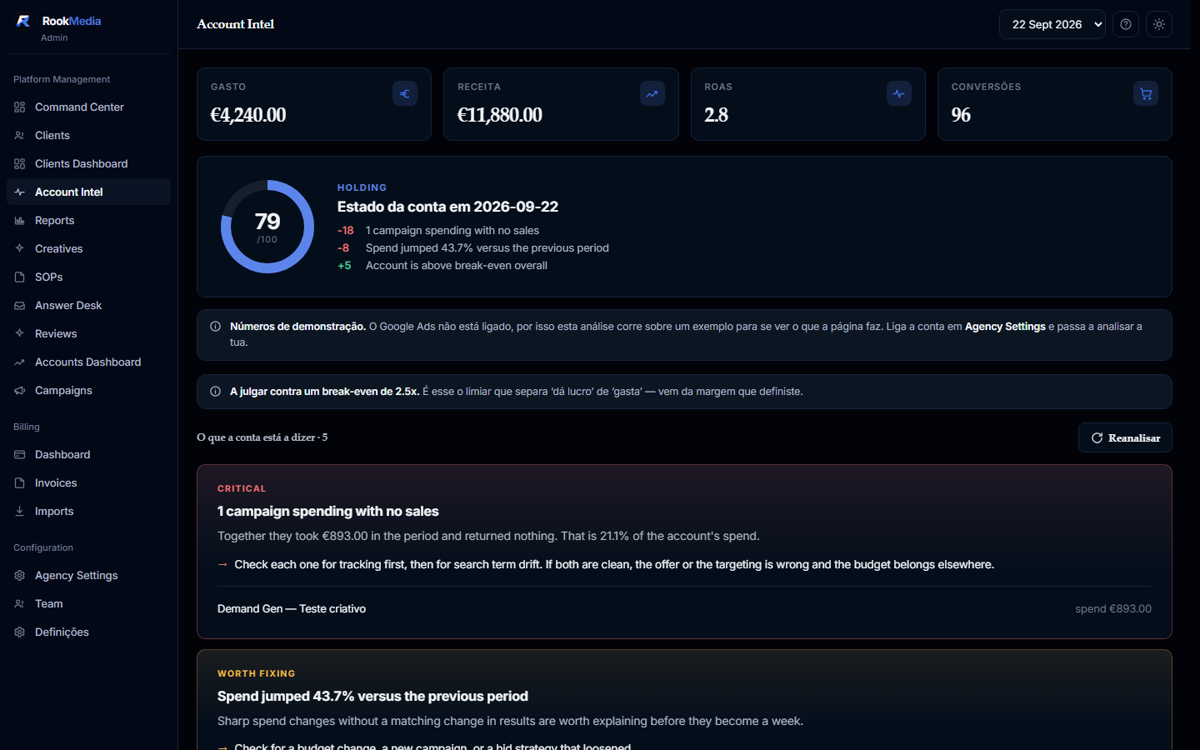
The account, read for you
A health score with the reasons written out, then every finding with what it is, why it matters and what to do about it — plus the campaigns involved. Scale-now and cut-now tables underneath.

Spend beside results, per campaign
Every campaign with its spend, clicks, CTR, CPC and daily budget on one table, updated daily. Our fee sits on the same screen as the spend it was calculated from.
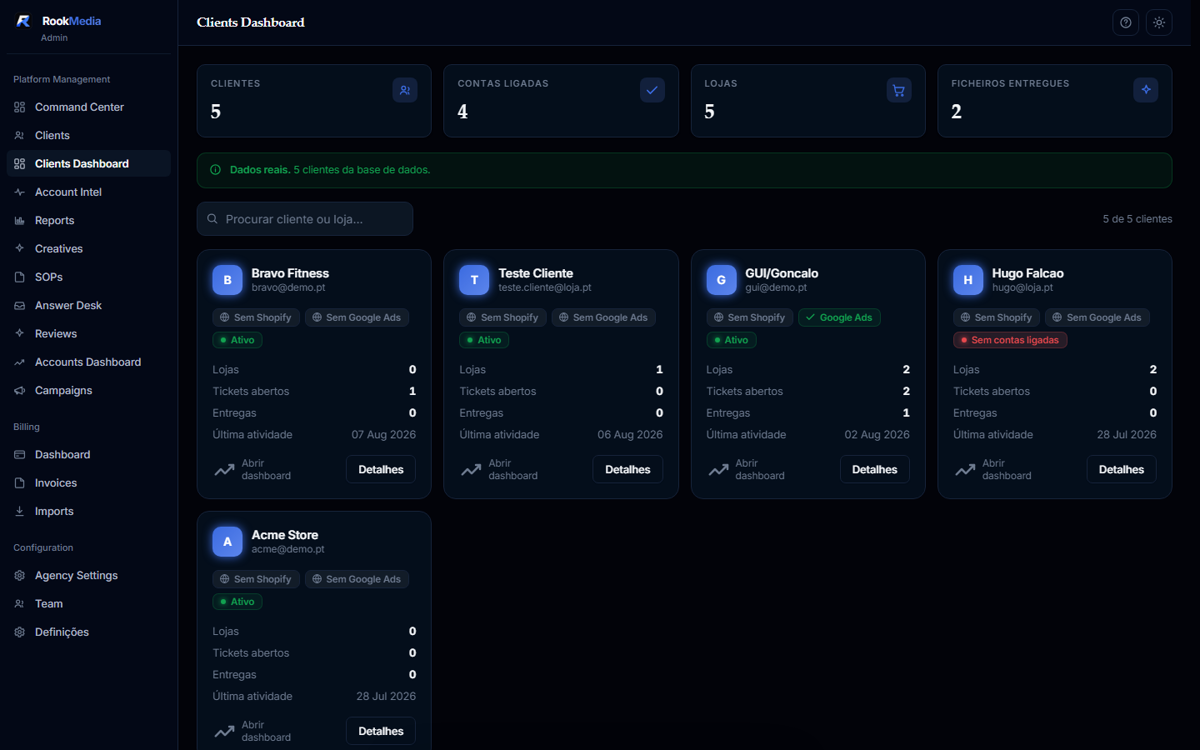
Every store, one login
If you run several stores they sit under one client, each with its own accounts, invoices and reporting — without merging the data that keeps them comparable.
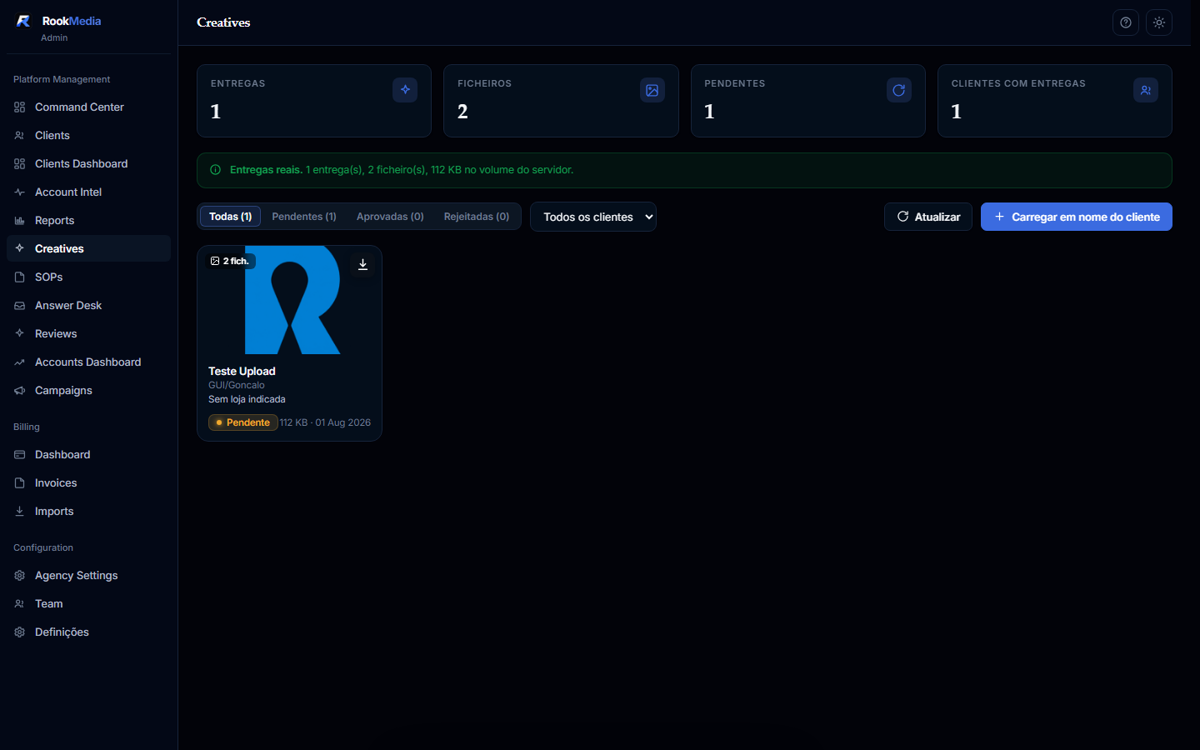
Requests tracked, not lost in a thread
Ask for a creative or flag a problem from the portal. Each request has a status and an owner, and the delivered file lands in the same place.
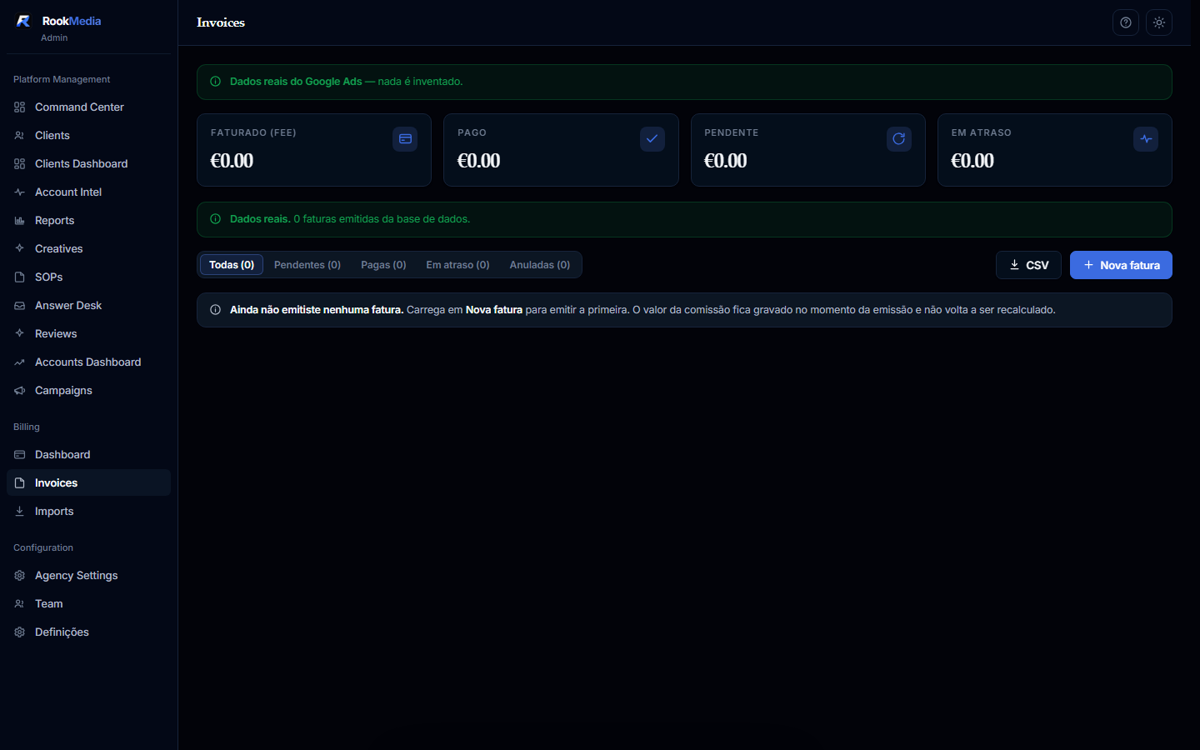
Weekly invoices, with the spend they came from
Ten per cent of what Google actually charged that week, shown next to the spend it was calculated on. Nothing to reconcile.
Demo account. We do not publish client data, and we never will without asking first.
You talk to the person inside the account.
No account-manager telephone game, no sales rep on the first call, no junior left alone with your spend.
The founder reads every first message and decides whether we're a fit. If we are, you meet the media buyer who'll actually run your account on the kickoff — not someone relaying for them.
That person stays on your account. You reach them directly, on WhatsApp or through the portal, and they reply themselves.
We're a small team on purpose. We'd rather turn a store away than take on more accounts than we can run properly — ask us how many we're running that week and you'll get the real number.
Rook Media · the rule we run onSix moves, one account.
Named after the piece we build the brand around — each one is a distinct phase of managing your ad spend.
Account teardown
We start by reviewing structure, tracking, and spend history before touching a single campaign. You keep the write-up either way.
Day-to-day management
Bid strategy, budget pacing, search terms, and campaign structure — handled continuously, not on a schedule.
Scaling
Once the account is stable, we scale budget deliberately, watching CPA and margin the whole way.
Creative production
Ad creative requests, delivery, and approval — tracked per request through your client portal.
Reporting & comms
Daily reports and a direct line to your media buyer — no monthly-call-only relationship.
Suspension recovery
Merchant Center and Ads account reinstatement, handled as part of the work — never sold back to you as an extra.
You sell a physical product, and it already sells.
Brand or dropshipping store, both work. Two things have to be true: the product is physical, and the margin can pay for the ads. If it can't, no bidding trick fixes that.
- Fashion
- Home decor
- Jewelry
- Beauty
- Pet
- Gadgets & tech
- Sportswear
- Outdoor
- Accessories
- Home & garden
- Replicas and counterfeit goods
- Fake or misrepresented products
- Supplements with grey claims
- Gambling, anything age-gated
- Prohibited or high-risk business models
Ready to scale
- The product already sells — you have orders, not just a launch date.
- Margin that can carry ad spend and still leave you a business.
- Conversion tracking installed and firing, so we can both see the truth.
- Stock and fulfilment that hold up when volume goes up.
Not yet
- Store went live this week and hasn't had a sale.
- Margin too thin for paid traffic to ever break even.
- No tracking, or numbers that don't match what the store says.
- Supplier, shipping or stock problems still unresolved.
There is no contractual minimum spend. Our fee is a percentage, so a small account is a small invoice — the question is whether the account is big enough to learn, not whether it's big enough for us.
Conversions matter more than spend. Google's Smart Bidding only starts working properly with a steady flow of sales a month; below that it's still guessing, and we'll tell you which channel to run manually until it isn't.
What every week stuck actually costs you.
A blocked account isn't a neutral pause. While the setup sits in review, the things that make a product work are quietly slipping away.
The product window
Winning products have a season. Weeks lost to appeals are weeks the trend was still yours to ride.
Market timing
Competitors who launched are collecting data, moving CPMs and learning your audience before you do.
Creative that ages
The angle that would have converted last month feels tired by the time the account finally goes live.
Cash flow
Stock sitting unsold and fixed costs running, with zero revenue coming through the door.
Momentum
The hardest thing to recover isn't budget — it's the pace and confidence a stalled launch drains from a store.
The rate is published. The billing is weekly. Your card pays Google.
Most agency pricing is designed so you can't compare it. Ours fits on one line, and the contract fits on one page.
What you get in writing
- 10% of ad spend. That's the whole fee.
- Calculated weekly on what Google actually charged.
- Pay Google directly, with your own card.
- Own every account, asset, pixel and creative.
- Handover starts the day you say stop. We remove our own access.
What never happens
- No setup fee.
- No markup on your budget, no "media cost" line.
- No lock-in, no notice period.
- No junior left alone with your spend.
- Nothing behind our login. It's your account.
- Spending €3,000 a month€300 to us
- Spending €10,000 a month€1,000 to us
- Spending €30,000 a month€3,000 to us
We get paid more when you spend more. That's a real conflict, so here's how we keep it honest: the invoice is weekly, not monthly, and there is no notice period. An account we scale unprofitably fires us next week, not next quarter. The fee sits on your dashboard next to the spend it was calculated on, so you never have to take our word for the number.
We won't hand you a ROAS target. Nobody honest can, before seeing the account. We track the trend, move when the numbers move, and tell you straight when something isn't working — before the next invoice, not after.
- You pay Google€10,000
- Rook Media fee (10%)€1,000
- Invoiced weekly, roughly€231
- Total out the door€11,000
Honestly, we're not always the right answer.
Four ways to get Google running. We only win if ours is genuinely the best fit for where your store is right now — so here's the comparison we'd give you on the call.
Do it yourself
- Cheapest by a mile
- You learn the account properly
- The tuition is paid in ad spend
- A suspension can stop you dead
- It's a daily job, not a weekly one
Freelancer
- Cheap at low spend
- You talk to the person doing it
- Flat fee means no upside for them in scaling you
- No cover when they're ill or on holiday
- Usually no creative, no feed work
Big agency
- Deep bench, real processes
- Case studies to check
- An account manager between you and the work
- Lock-in, notice periods, setup fees
- Dropshipping is rarely their specialty
Rook Media
- You talk to the operator directly
- GMC problems handled, not billed extra
- Creative and reporting included
- Leave any week you like
- Newer agency — fewer case studies than the big names
Your first four days. Then it's Google's turn.
No long onboarding, no guesswork about what happens next. What you do this whole month: send access, answer when we ping you, sign off on the plan.
Access and the channel
You send us access — Shopify, Google Ads, Merchant Center if you have one — and get your portal login and a direct line to your operator.
No ticket queue, nobody relaying.
We read everything
Conversion tracking checked against your Shopify orders, so both of us see the same truth. Your operator reads the account history and writes the plan.
If the account is in good shape, you'll hear that too.
The structure ships
Campaigns rebuilt around the data: Search first, Demand Gen where it fits, negatives in, budgets set. If GMC is blocked, we launch without it and work the appeal in parallel.
Live, then Google relearns
Campaigns run and the daily report starts. From here the slow part is Google: it usually takes two to four weeks to relearn an account before the numbers settle.
Anyone promising results faster than Google can relearn is guessing.
The words agencies hide behind, defined.
You shouldn't need a translator to read your own reports. If we use a term with you and it isn't on this list, ask — that's on us, not on you.
- ROAS return on ad spend
- Revenue divided by ad spend. A 3x ROAS means €3 back for every €1 in. It says nothing about profit — that depends on your margin.
- Break-even ROAS
- The ROAS you need just to not lose money, set by your margin. A store on 30% margin needs roughly 3.3x. This is the number that actually matters.
- CPA cost per acquisition
- What one order costs you in ad spend. Easier to reason about than ROAS when your prices vary.
- AOV average order value
- Average revenue per order. Raising it is often cheaper than lowering CPA — bundles and upsells move it without touching the ads.
- CTR click-through rate
- Clicks divided by impressions. Mostly a creative and relevance signal; a falling CTR on a good asset usually means fatigue.
- CPC cost per click
- What one click costs. Rising CPCs with flat sales is competition, seasonality or a targeting problem — never something to ignore.
- Impression share
- The share of available auctions you actually showed up in. Low share with good returns means there's room to scale.
- Smart Bidding
- Google setting bids automatically toward a goal. It needs a steady flow of conversions to learn; below that it's guessing with your money.
- tROAS / tCPA
- Target ROAS or target CPA — the goal you hand Smart Bidding. Set it too aggressively and the campaign simply stops spending.
- PMax Performance Max
- One automated campaign spanning Search, Shopping, YouTube, Display and Gmail. Powerful, opaque, and happy to spend your budget on traffic you already had.
- Demand Gen
- Google's paid-social-style campaign across YouTube, Discover and Gmail. Creative-led, and it doesn't need a Merchant Center.
- GMC Google Merchant Center
- Where your product feed lives. Shopping and the shopping half of PMax depend on it being approved — which is why suspensions hurt so much.
- Product feed
- The file describing every product to Google: title, description, image, price, stock, GTIN, category. For Shopping, the feed is your keyword targeting.
- GTIN
- The product's global barcode number. Missing GTINs are one of the most common causes of quiet mass disapprovals.
- CSS comparison shopping service
- The partner through which Shopping ads are submitted in Europe. Which one you use affects what you pay per click.
- Negative keywords
- Searches you refuse to pay for. The cheapest performance improvement in almost every neglected account.
- Match type
- How loosely Google may interpret a keyword — exact, phrase or broad. Broad without negatives is how budgets disappear.
- Attribution window
- How long after a click a sale still gets credited. Longer windows flatter the ads; shorter ones flatter the store.
- Server-side tracking
- Conversions sent from the server instead of the browser, so ad blockers and privacy settings break less of your data.
- Learning period
- The stretch after a major change where Google re-learns the account and performance is unreliable. Usually two to four weeks. Changing everything mid-learning restarts the clock.
What clients say, with their permission.
Real reviews from stores we run, published only after they told us we could. No borrowed screenshots, no cropped Slack messages — and critical feedback stays private, where it can actually be acted on.
Worked with us? Leave a review — good or bad.
We're a newer agency — and we'd rather say that than fake it.
Rook Media doesn't have a decade of case studies to show yet, and you won't find borrowed screenshots on this page. What we do have is full-time attention on every account we take on, a client portal built specifically for this work, a rate we publish, and no interest in taking on more clients than we can actually run well. Ask us for references directly on the call.
What is Rook Media?
In one paragraph
Rook Media is a Google Ads agency for dropshipping stores and eCommerce brands. We run Search, Demand Gen, YouTube and Shopping inside your own Google Ads account, on your own billing, for 10% of ad spend — invoiced weekly, with no setup fee, no markup on budget, no minimum spend and no lock-in. We specialise in stores Google makes difficult: suspended Merchant Centers, dropshipping models and feeds that were never written for search.
What makes us different is what we refuse to do. We do not hold your ad budget, we do not put a junior in your account unsupervised, and we do not promise a ROAS before seeing the account — nobody honest can. We are newer than the big names, so you will not find borrowed screenshots or invented case studies anywhere on this site. What you will find is a published rate, a contract you can read in a minute, a process written down, and the tools we use ourselves.
The first step is a free teardown: sixteen checks on your account and tracking, written up and sent to you whether or not we end up working together. If your account is already in good shape, we will tell you that and we are done.
The things people ask first — including what happens if it doesn't work.
What happens if you take us on and it doesn't work?
Is the teardown a real look at my account, or a sales call?
How much does it cost?
Who owns the ad account?
My Merchant Center is suspended. Can you help?
How long before I see results?
Do you work with brand new stores?
What access do you actually need?
Do I need a Merchant Center to work with you?
What budget should I start with?
Do you work with Meta as well?
Which countries and currencies do you cover?
Can you take over from another agency?
Will you rebuild everything or work with what's there?
What if my tracking is broken?
Who makes the ad creative?
How do I know you're not just letting it run?
How am I billed, and when?
What happens to everything if we stop?
How do I actually get started?
Send us the account. Keep what we find.
Your store, your monthly Google Ads spend, and what's in the way. If we're not a fit, you still get the teardown.
Prefer to write it down? Same inbox, same person.
Send us a bit about your account and we'll reply directly — no forms disappearing into a queue, no sales team in between.